
HOTSPOT
From Azure Sentinel, you open the Investigation pane for a high-severity incident as shown in the following exhibit.
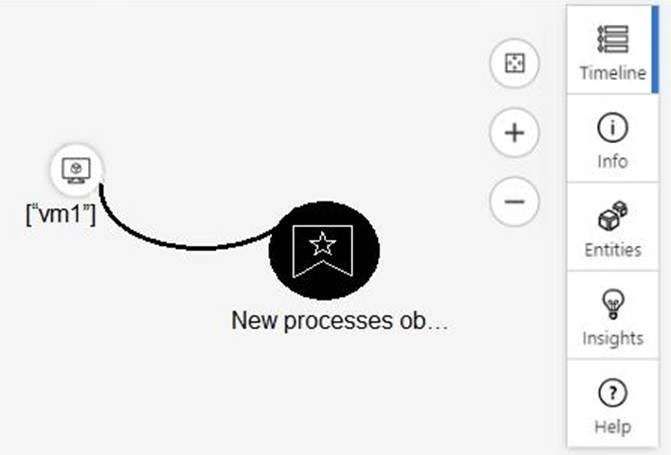
Use the drop-down menus to select the answer choice that completes each statement based on the information presented in the graphic. NOTE: Each correct selection is worth one point.
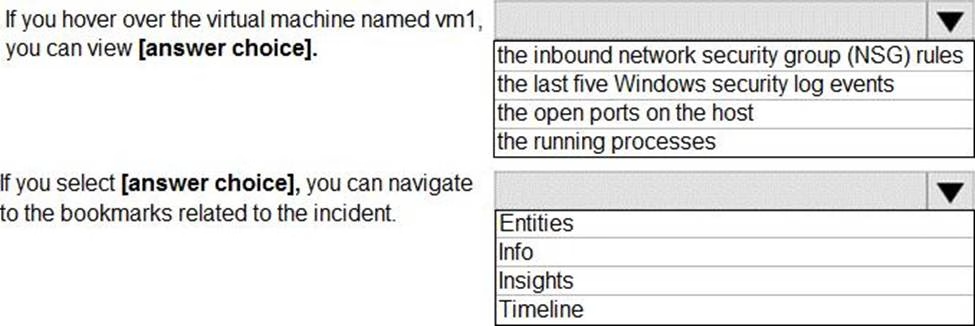
Answer: 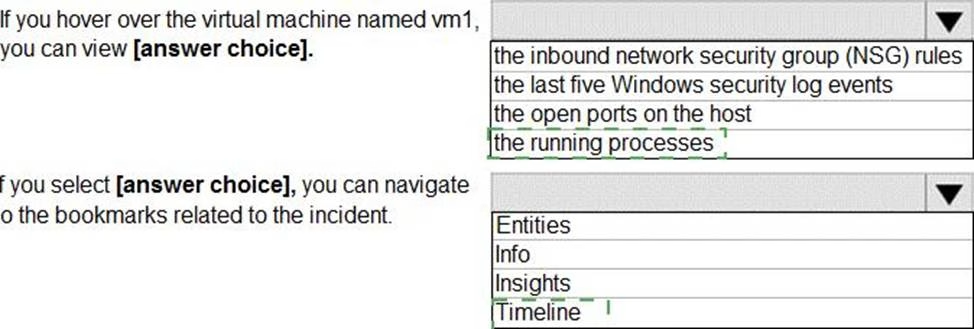
Explanation:
Reference: https://docs.microsoft.com/en-us/azure/sentinel/tutorial-investigate-cases#use-the-investigation-graph-to-deep-dive
Latest SC-200 Practice Questions with 75 Q&As
Updated Study Material | Instant Download | Detailed Answers and Explanations