
HOTSPOT
You need to use the Dynamics 365 Sales Web API to retrieve metadata information.
How should you complete the Web API queries? To answer, select the appropriate options in the answer area. NOTE: Each correct selection is worth one point.
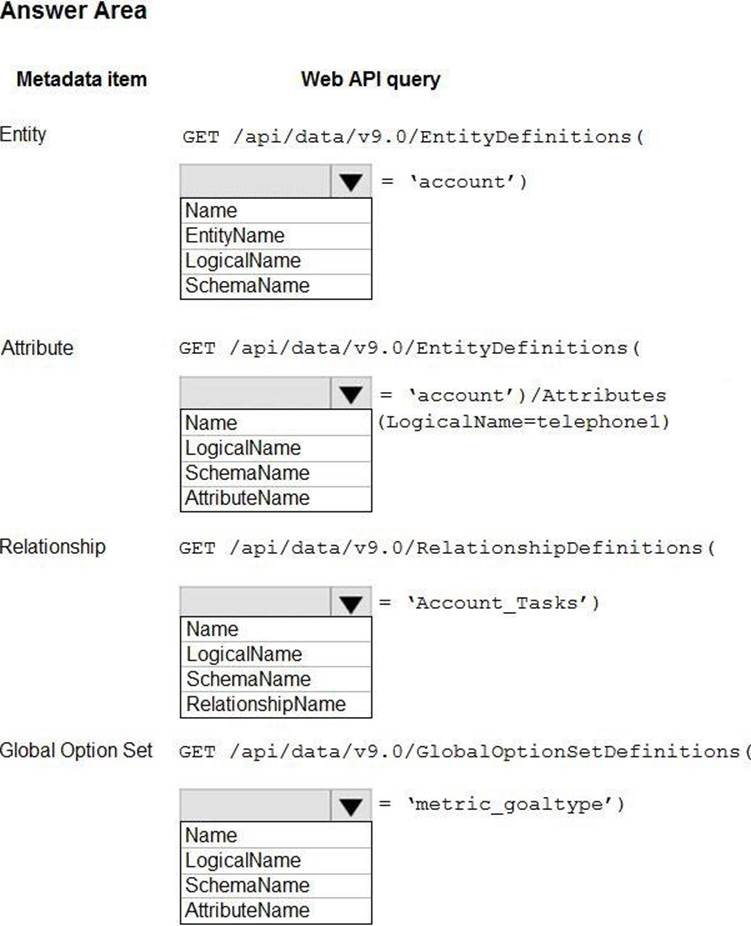
Answer: 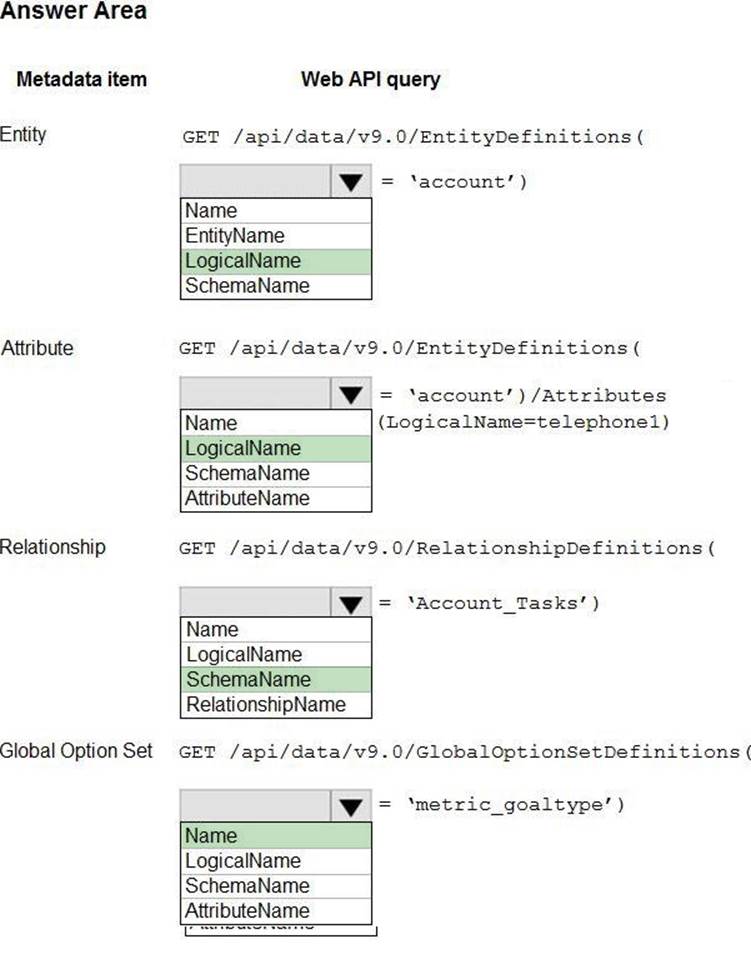
Explanation:
Entity: LogicalName
Querying the EntityMetadata entity type:
GET [Organization URI]/api/data/v9.0/EntityDefinitions(LogicalName=’account’)
Attribute: LogicalName
Retrieving attributes:
GET [Organization URI]/api/data/v9.0/EntityDefinitions(LogicalName=’account’)/Attributes(
Relationship: SchemaName
Querying relationship metadata:
Entity relationships can also be queried using the RelationshipDefinitions entity set. You can use a query like the following to get the SchemaName property for every relationship.
GET [Organization URI]/api/data/v9.0/RelationshipDefinitions?$select=SchemaName
Global Option Set: Name
Querying Global OptionSets:
GET /api/data/v9.0/GlobalOptionSetDefinitions(Name=’metric_goaltype’)
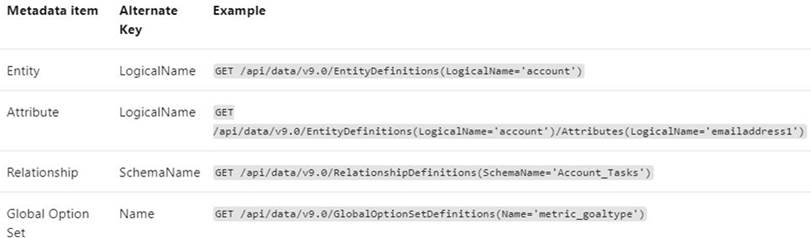
Note: Retrieving items by name is generally easier because you probably already have some reference to the metadata item name in your code. The following table lists the alternate key properties for retrieving metadata items by name.
Latest PL-400 Practice Questions with 171 Q&As
Updated Study Material | Instant Download | Detailed Answers and Explanations